
conceptr980
-
Posts
159 -
Joined
-
Last visited
-
Days Won
2
Content Type
Profiles
Forums
Events
Downloads
Everything posted by conceptr980
-
 Hello @Dennis Could you review the script related to "Select Java Version" as once its set to "Automatically Decide", The server does not start unless its manually set to Java 25 when it comes to latest MC version is been set by default. Thx
 -
@Dennis Hello, Any plans to add support of Java 25 ! Thx
-
If your referring to the query port not working in the panel plus battlemetrics .. i believe its already been solved in TCADMIN discord by @Adam - Add "-queryport=$[Service.QueryPort]" to the commandline paramater - Create a custom script with an event of "Custom Query" and Script engine to IronPython 3.4 using the attached syntax - Set the "Query Protocol" in the scum config to "Custom Script" - Done Didnt have time to fully test it though but it looks that its working so far with either the panel and battlemetrics scum-custom-query.txt
-
To create a simple config is pretty much straight forward. Didn't succeed to make the Query Port working yet.
-
Whats the use of supporting JAVA 22 on this config as long as latest MC version 1.21.4 is compatible with JAVA 21 ??
-
Did you apply what dennis mentioned ?? On the other hand, Copy the following files from WS\Binaries\Win64 to root directory and start the server in order for the server to work: steamclient.dll steamclient64.dll tier0_s.dll tier0_s64.dll vstdlib_s.dll vstdlib.s64.dll
-
Im trying to create a python script with cpu priority switcher using the following: ThisService.Priority = int(ThisService.Variables["CPUPriority"]); ThisService.Save() ThisService.Configure() Its not working by switching cpu priority in tcadmin for some reason. Variable Options in CPUPriority are: Normal AboveNormal High The variable of priority is taken from: https://docs.tcadmin.com/customizations/scripts/script-objects/this-service/#properties Advice would be appreciated
-
@dennis - Could you update this config and its scripts to support JAVA 21 as starting from MC 1.20.5 it started using JAVA 21. - Find away to replace server jars crons since their website is no longer contains MC repos Thx
-
If what your referring to is yes, could you share the config and save me the headache of debugging
-
Anyone succeeded to have the config works so far with game version 1.0 ?
-
After some debugging .. it appears that -queryport in the commandline paramater causes the server to stop responding plus some commandline paramaters is outdated based on this config. On the other hand, using the following commandline would solve most of the issues and server will start and shows in both community list and join via ip but players stats in the panel will no longer works due to -queryport is not set in the commandline paramater and cannot be set for the mean time unless the devs decides to add it in the future releases: -publiclobby -port=$[Service.GamePort] -publicip=$[Service.IpAddress] -publicport=$[Service.GamePort] -players=$[Service.Slots] -useperfthreads -NoAsyncLoadingThread -UseMultithreadForDS -logformat=text Myth Busted
-
Did you test it with tcadmin config query protocol and it works ?? screenshot would be recommended if you could
-
Everyone who is using and relying on TCAdminCrons is struggling for a while now. Besides, no ETA for serverjars yet which is being a serious automation issue for providers.
-
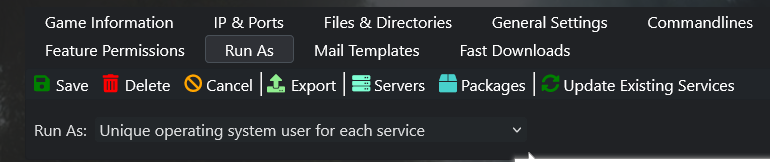
Try to set the config to run as: "unique operating system user for each server" then either reinstall the server or repair server permissions

-
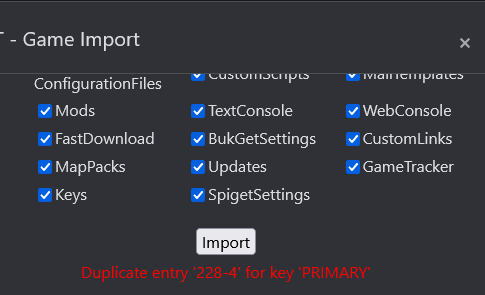
Error while uploading it as new conifg: Any idea how to solve it? @LFA
-
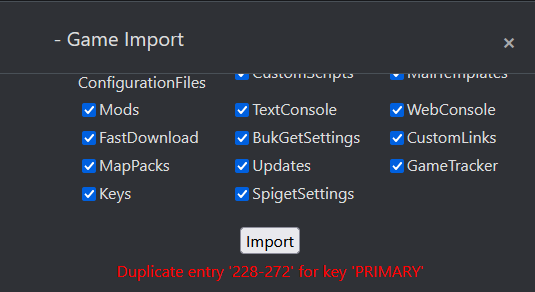
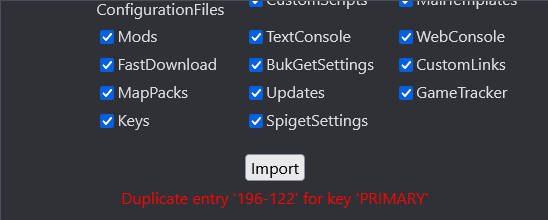
Hello @Adam Cannot import as new game config or update existing config with the following error (Attached): Duplicate entry '228-272' for key 'PRIMARY'
-
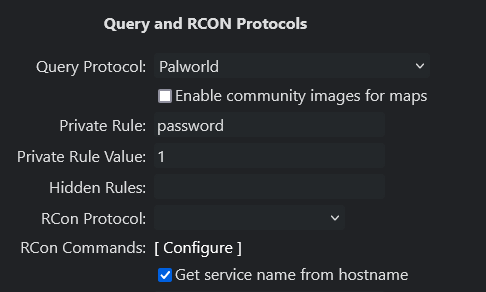
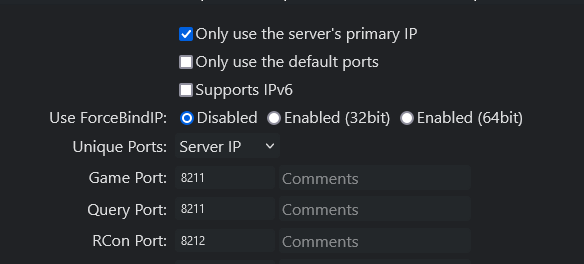
The config shared here is working well. Just change the Query Protocol: Palworld Notes: - Make sure your TCadmin is updated to version: 2.0.190.0 - Make sure the Game Port is the same as Query Port
-
@dennis Are you able to work on the query protocol script ? its itchy not detecting players and hostname via the panel Thx
-
@DEMMERS Please keep updating your config here based on this post as we are relying on it instead of posting new config every time. Thx
-
We need the magician to create the query port script to work in the panel
-
I believe your config requires further small modification as following: * you havnt specified custom port in the config and you dont need it * -publicport in the startup commandline argument could be the same as -port: -port=$[Service.GamePort] -publicport=$[Service.GamePort] As i see in most of the docs that -publicport is 8211 which is the game default port. On the other hand, i see some users using -log -nosteam at the end of the commandline but not sure if it take effects.
-
Our best bet would be on @Dennis as he worked on ARK survival evolved and it was a pro config.
-
Error while updating to your existing config 1.0.1
-
Any plans to add support for forge installation as its common in MC!! Thx
-
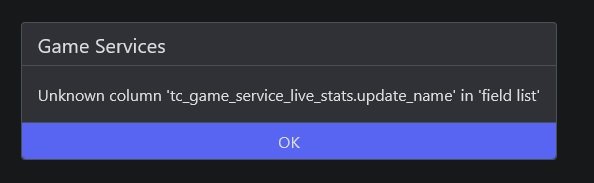
@LFA Updated to 2.0.184.0 and got the following error: "tc_game_service_live_stats_update_name" the entire tcadmin becomes not functional - Reverted back